1
Open the app
A friendly guide called NEXUS welcomes you and explains everything as you go.
Your Mac, fast and tidy again
No guessing, no long lists you don't understand. It finds what you can safely remove, tells you in plain words what to do first, and only acts when you say yes.
Works on recent Macs · No technical knowledge needed · In English and 日本語
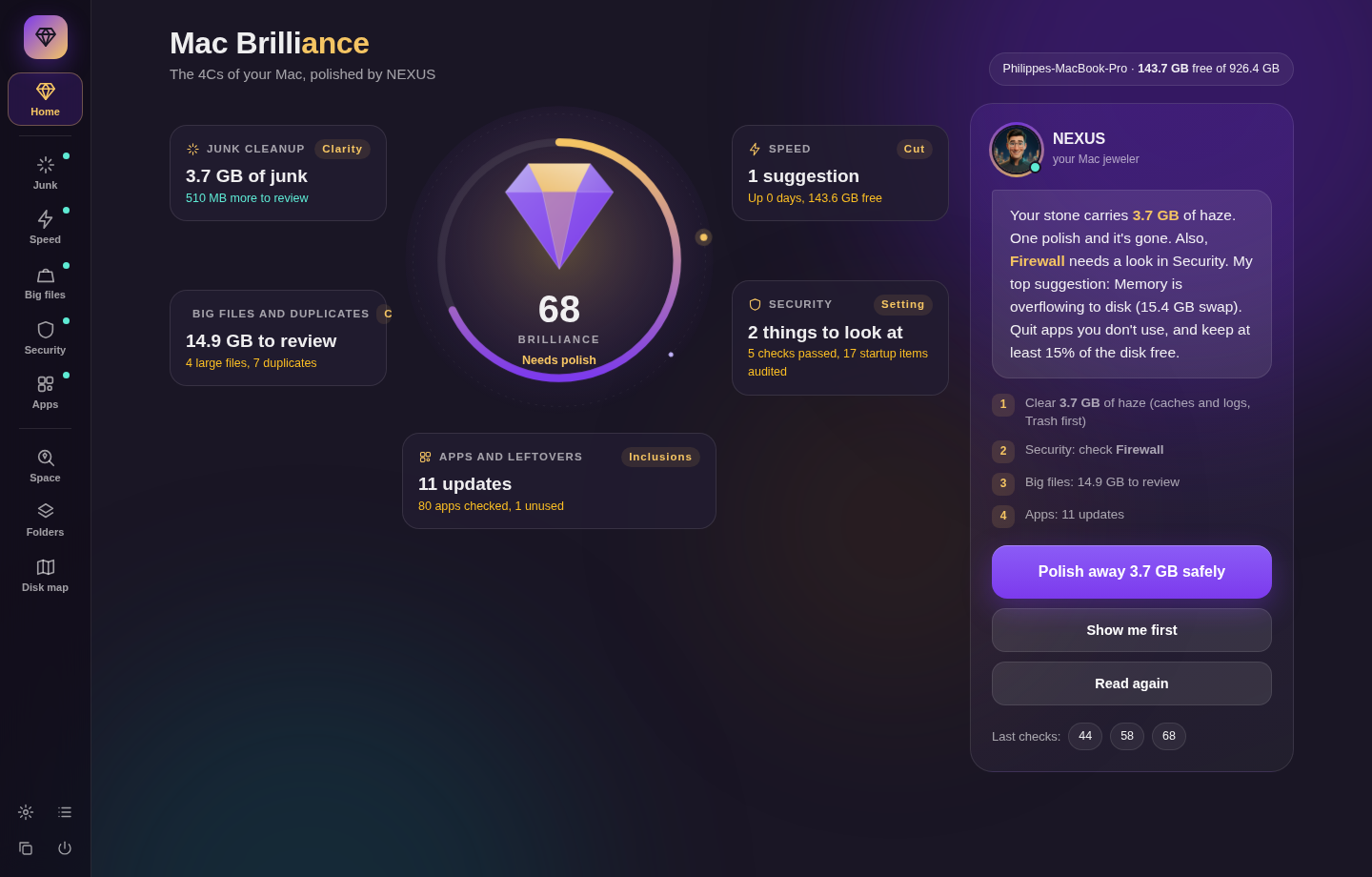
On our own Mac, the first scan found 18.6 GB: 3.7 GB of junk to remove safely, and 14.9 GB of big and double files to review.
Press play with the sound on. He explains what fills your Mac, and how Mac Brilliance helps you clear it safely.
The scan is always free · One-time $39 USD · 30 days to try it, or your money back
Mac Brilliance takes care of all of this, without you needing to be an expert.
A friendly guide called NEXUS welcomes you and explains everything as you go.
It checks your whole Mac and gives it a simple score out of 100, like a health check.
You see exactly what it suggests. Nothing changes until you agree.
Like a jeweler checks a diamond, Mac Brilliance checks four things on your Mac.
Removes the hidden leftovers your apps pile up over time. They are safe to remove, and your apps simply make fresh ones.
Shows what is slowing your Mac down right now, and helps you speed it up with one click.
Spots huge old files and exact copies of the same file. You decide what goes. Nothing is chosen for you.
Checks that your Mac's built-in protections are switched on, and tells you simply if something needs your attention.
You don't need to know anything about computers. NEXUS does that part. After each check, he tells you in a few plain words what he found, what to do first, and why it is safe.

"I found 18.6 GB on your Mac. 3.7 GB can go safely right now, in one click, and I'll show you the 14.9 GB of big files to review."
"I'm not an IT specialist. My Mac is getting a bit old, but I still use it every day, and it was always short of space. Other cleaning apps showed me long lists, and I never knew what to do. I wanted something easy to understand that tells me what to do. That's NEXUS: he shows me right away what is necessary."
When you delete an app, pieces of it often stay behind. Mac Brilliance removes everything, and tells you when your apps have updates.
A clear picture of what takes up space, on your Mac, in Dropbox and on your backup drive. Each item comes with advice: keep it, remove it, or move it to your drive.
Finds empty folders and copies of the same folder, and suggests a neater order. Changed your mind? Undo it with one click.
Once a week, a small message shows your score and whether anything needs doing. You never have to remember.
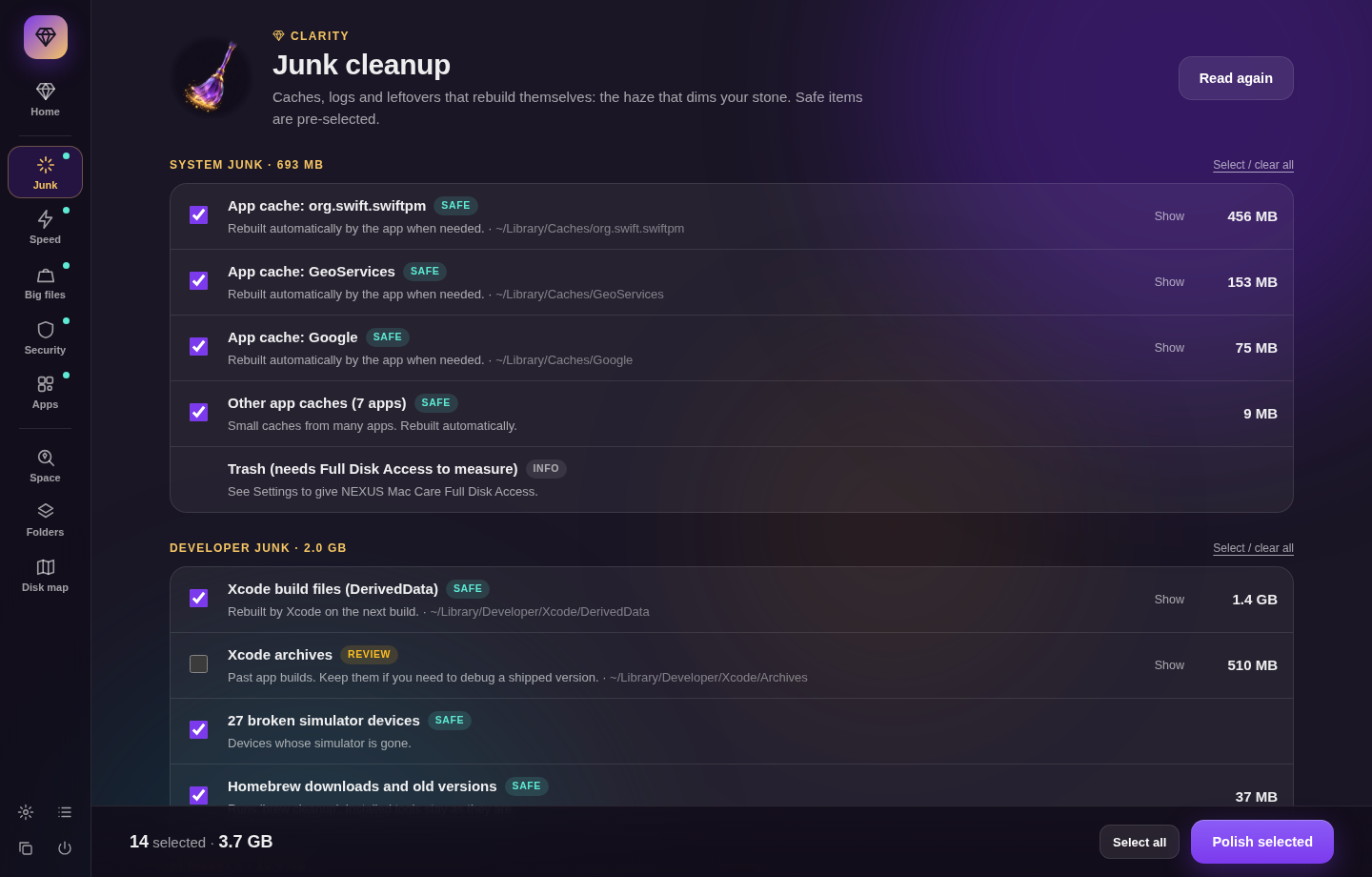

Worried it might delete something you need? It can't without your yes, and your files go to the Trash first, so you can put them back.
Get Mac Brilliance for $3930 days to try it, or your money back.
The scan is always free. Secure checkout by Stripe, and your key arrives by email in a few minutes.
Yes, it was made for you. You press one button, read NEXUS's short explanation, and choose yes or not now.
No. Your documents and photos are never chosen for you, and any file removed goes to the Trash first, so you can put it back. Only app caches and logs, which rebuild themselves, are cleared directly.
Your Mac protects your folders and asks before any app looks inside them. You give permission once, the app shows you where, and then it stops asking.
It works on Macs from about 2015 onward that run macOS 12 Monterey or later. To check, open the Apple menu and choose About This Mac.
The scan, the score and NEXUS's advice are free, so you see exactly what your Mac needs first. The one-time $39 USD lets Mac Brilliance do it for you, on up to 3 Macs. If it isn't right for you within 30 days, you get your money back.
Yes. You can switch between English and 日本語 at any time.
One button, a clear score, and nothing changes without your yes.
Get Mac Brilliance